
 Welcome bonusUp to 1000 AUD + 100 FSfor the first deposit
 Welcome bonusUp to 1000 AUD + 100 FSfor the second deposit

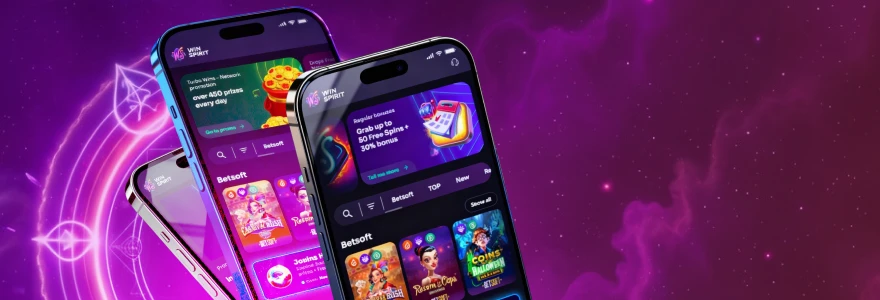
WinSpirit Casino App
Get the WinSpirit app on your phone, tablet, or computer in a few taps — no download from a store required, no waiting, and 20 free spins waiting once you’re set up.

Why There’s No App Store Listing
Installation happens directly through your browser — not through Google Play, not through the Apple App Store. That is how the WinSpirit Australia app works, and it is deliberate. We use Progressive Web App (PWA) technology, which lets you install the casino straight from Chrome or Safari without going through a third-party storefront.
This means no approval delays, no store restrictions, and no version waiting to be reviewed. The Win Spirit app you install today is the same version running on our website right now. Updates apply automatically in the background, so you never need to manually update or re-download anything.
PWA technology is widely used across industries precisely because it removes the middleman. For casino players, that means the install takes under a minute, the icon sits on your home screen or taskbar like any native app, and nothing about the experience changes compared to the full browser version. No features are cut, no sections hidden.
What You Get by Installing
The single biggest advantage over opening the site in a plain browser tab is one-time login — after the first sign-in, you go straight to your account every time you open the app. That alone saves time every session.
Here is what comes with the WinSpirit Casino app once it is installed:
- One-time authorisation — log in once, stay logged in across sessions
- Quick access to bonuses and slots — your profile, active bonuses, and the full game library open from your home screen in seconds
- Faster loading — the app caches key resources locally, so pages respond quicker than a cold browser tab
- Home-screen icon — the WinSpirit Australia app sits on your device screen like any other app, no need to type a URL
- Consistent experience across devices — install it on your phone and your laptop and both run identically
Access to the full WinSpirit online casino Australia game library — all 2,500+ titles across slots, live tables, crash games, and more — is available immediately after install, without any content restrictions.
Installing on Android
Chrome is the browser this depends on — the Android install will not work through Firefox, Opera, or any other browser, so open Chrome before you start.
Follow these steps:
- Open Chrome on your Android device
- Go to the WinSpirit website
- Tap the three-dot menu next to the address bar
- Choose Install the WinSpirit Casino App
- Tap Install in the confirmation window
Once complete, the WinSpirit Casino Australia app icon appears on your home screen. Open it, and use your WinSpirit Casino account login to get in. After that first sign-in, the app remembers your session. The whole process takes under a minute on most Android devices.
If you do not see the Install option in the three-dot menu, try refreshing the page once. The prompt sometimes appears only after the site has fully loaded.
Installing on iPhone
Safari is the browser required for iOS — the Add to Home Screen option is not available through Chrome on iPhone, so make sure you are using Safari before following these steps.
Here is how to install on iOS:
- Open Safari on your iPhone
- Go to the WinSpirit website
- Tap the Share icon at the bottom of the screen
- Scroll through the share sheet and tap Add to Home Screen
- Tap Add to confirm
The WS Casino app icon will appear on your iPhone home screen straight away. Tap it any time to go directly to your account — no browser, no address bar, no extra steps. The app runs the full site, including live casino tables, slot categories, and your bonus history, exactly as you would see them on desktop.
Setting It Up on Windows or Mac
Desktop installation follows a similar logic to mobile — a short process through the browser, and the app opens in its own window from then on.
On Windows
The install icon sits directly in Chrome’s address bar on the right-hand side — you do not need to open any menu to find it. Open Chrome, go to the WinSpirit website, and look for the small install icon in the upper-right corner of the address field. Click it, then click Install in the window that appears.
After installation, the Win Spirit app opens in a standalone window without browser tabs or navigation bars around it. It behaves like a desktop application: you can pin it to your taskbar, find it in your Start menu, and launch it directly without opening Chrome first. Your login session carries over, so returning to the casino takes two clicks at most.
On macOS
Both Safari and Chrome support the install on Mac, which gives you flexibility depending on which browser you prefer. The Win Spirit Casino app installs differently in each.
In Safari: go to the WinSpirit website, click the install icon in the browser panel, then click the Share icon and choose Add to Dock. Confirm by clicking Add. In Chrome: go to the site, click the install icon in the top-right of the address bar, and click Install. Either way, the WS Casino app ends up in your Dock or Applications folder and opens as a standalone window. Note that on macOS, only Safari and Chrome support this install — other browsers will not offer the option.
The Bonus for Installing
Install the WinSpirit app and you receive 20 free spins — no deposit required. Once installed, log into your account and activate the bonus in the Bonuses tab of your profile. It is a one-time offer: you can only claim it once per account, regardless of how many devices you install on.
| Item | Detail |
| Free spins awarded | 20 |
| Bet per spin | AUD 0.10 |
| Wagering requirement | x40 |
| Deposit required | No |
| Can be claimed | Once per account |
The WS Casino app bonus is credited automatically after you activate it in your profile. Winnings from the free spins are subject to a x40 wager before they can be withdrawn. Check the Bonuses tab in your profile to see the full current conditions and confirm the spins have been applied.
Install Options at a Glance
Every device installs in roughly the same number of steps — the process is short on Android, iOS, Windows, and Mac alike. The only real difference is which browser handles it.
| Device | Browser Required |
| Android | Chrome |
| iOS (iPhone / iPad) | Safari |
| Windows | Chrome |
| macOS | Safari or Chrome |
If you are switching between devices, you do not need to choose one over the other. Install the WinSpirit app on your phone for sessions on the go and on your desktop for longer play. Both run the full version of the casino, and your account balance, bonus status, and game history stay in sync because they are all tied to the same account.
Who Is the WinSpirit App For
Anyone who visits the casino more than a couple of times a week will notice the difference after installing. Returning players benefit most — the one-time login alone removes a small friction point that adds up quickly over many sessions.
Players who follow bonuses closely also get more from the WinSpirit Casino app than from the plain browser. Active promotions, free spin notifications, and your bonus history are one tap away from your home screen instead of two or three steps through a browser tab.
That said, the app is not exclusively for regulars. If you are just getting started, the WinSpirit Casino registration process works the same way whether you go through the app or the full site. New accounts created on the WinSpirit Australia app carry the exact same welcome offer and access to the full game library.
Players who prefer the browser can keep using it — nothing is restricted to app users only, except for the 20 no-deposit free spins that come specifically with the install. If you want those spins, the app is worth the minute it takes to set up.
FAQ
Does the WinSpirit app cost anything to install?
No, installation is free. The WinSpirit app uses PWA technology, which means it installs directly from your browser at no cost. There are no subscription fees, no in-app purchases required to access the casino, and no charges associated with the install itself.
Will the app work on older Android or iOS devices?
Yes, in most cases. The WS Casino app runs through Chrome on Android and Safari on iOS, so compatibility depends on your browser version rather than your device model. Keeping your browser updated is all that is generally needed for the install to work correctly.
Can I install the WinSpirit Australia app on more than one device?
Yes. You can install the Win Spirit app on multiple devices — your phone, tablet, and desktop can all have it. Each device connects to the same account, so your balance and bonuses are always current regardless of which device you open it on.
Do I get the 20 free spins on every device I install on?
No. The install bonus is a one-time offer per account. You receive 20 free spins the first time you install the WinSpirit Casino app and activate the bonus in your profile. Installing on a second device does not trigger a second bonus.
Is the game library the same on the app as on the full site?
Yes. The WinSpirit app runs the full site — all 2,500+ games, live tables, crash titles, and every other category available on desktop. No content is removed or restricted because you are using the installed version rather than a browser tab.